Why CtroEnv?
Bring the same rigor from your type system to the environment variables your app depends on.
Why CtroEnv?
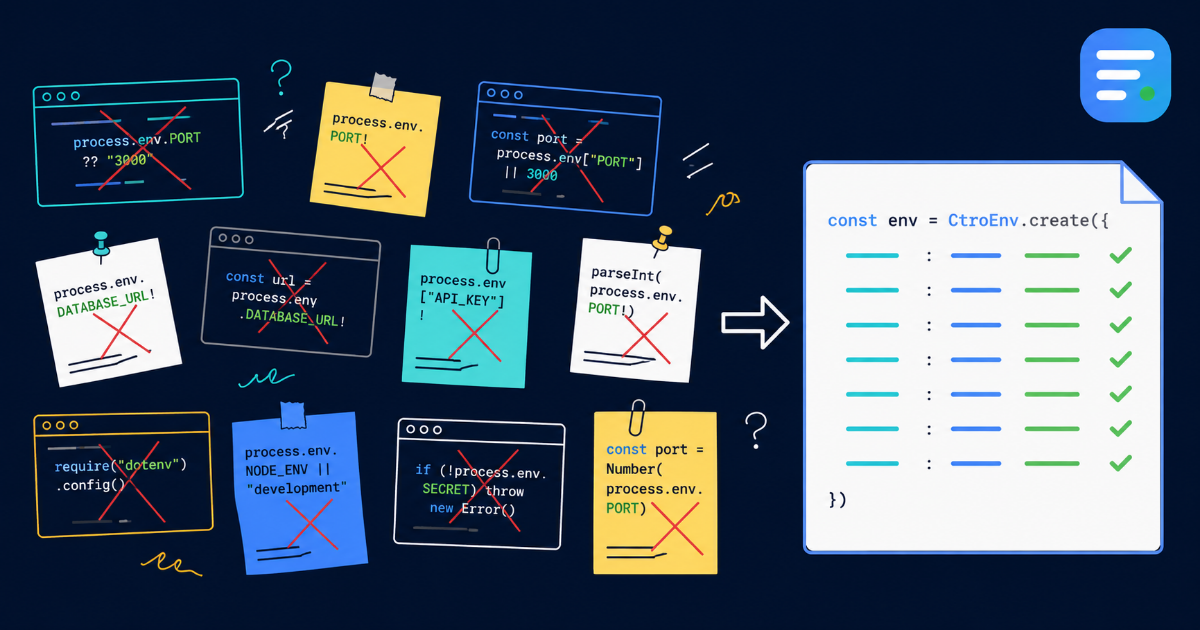
Most TypeScript projects treat environment variables as a weakly-typed free-for-all. CtroEnv brings the same rigor you expect from your type system to the variables your app depends on.
The Problem
Here's how most projects handle env vars:
const port = parseInt(process.env.PORT ?? "3000", 10)
const dbUrl = process.env.DATABASE_URL
if (!dbUrl) throw new Error("DATABASE_URL is required")
This works, but it's scattered across your codebase. Every file repeats the same checks. Types are inferred as string | undefined — or worse, you assert with ! and hope for the best.
Types don't tell you what's expected. A linter won't catch a missing DATABASE_URL until runtime.
The CtroEnv Approach
Define everything in one place:
import { defineEnv, string, number, pick } from "@ctroenv/core"

const env = defineEnv({
  PORT: number().port().default(3000),
  DATABASE_URL: string().url(),
  NODE_ENV: pick(["development", "production"] as const),
})

env.PORT         // type: number — 3000
env.DATABASE_URL // type: string — guaranteed present
env.NODE_ENV     // type: "development" | "production"
Every access is typed. Every value is validated at startup. Missing or invalid variables produce clear, actionable errors — grouped by category with suggested fixes.
What You Get
Zero dependencies. The core package is 4 KB gzipped with no runtime dependencies. No lodash, no zod, no io-ts.
Framework adapters. Node.js, Vite, and Next.js each get their own source adapter. The same schema works across all environments:
// Works in Node
import { nodeSource } from "@ctroenv/node"
const env = defineEnv(schema, { source: nodeSource() })

// Works in Vite
import { viteSource } from "@ctroenv/vite"
const env = defineEnv(schema, { source: viteSource() })
Secret masking. Mark a variable with .secret() and direct access returns "********" — raw values require explicit intent.
Schema composition. defineSchema() + extendSchema() for reusable blocks across monorepo packages.
CLI tooling. Validate, check, generate docs, and scaffold config — all from the command line.
Getting Started
npx @ctroenv/cli init
# Creates ctroenv.config.ts — edit to point to your schema

npx ctroenv validate
# Validates your current environment against the schema
Or check the quick start guide for a step-by-step walkthrough.